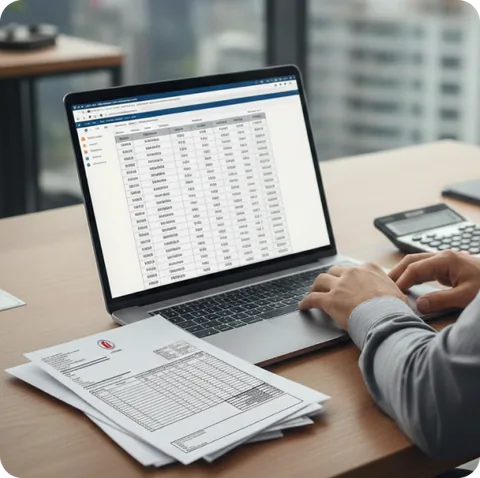


Price Management

Document-based historical entry, price planning
You can enter your purchase and sales prices into the system with the dates they will be effective, and the system can make them effective. Your purchase orders are formed according to predefined conditions, thus preparing the infrastructure for invoice entry. Products changed by the system in sales prices are presented to the user for final control when transferring to stores.
Customer-Based Price Lists
Customer-based price lists, which are frequently needed in the wholesale sales channel, can be created. These lists can be used as if they were assigned to the customer, and price control can be made more powerful. If no special price is entered for the customer, general lists can be valid.
Currency Price Lists
Currency units and currency prices given on a product basis are stored in the document-based flow and TL/currency equivalents are kept simultaneously. Special exchange rates that can be given document-based allow for negotiation needs within the system.
Regional Price Management
Thanks to spatial authorization and store-based price features, different price policies can be developed in the retail sales channel. Users cannot interfere with each other's price lists and can work limited to their regions in sales-turnover-stock analysis.
Insert Management, Automatic Sending to Cash Registers
'Inserts,' a common application, are solved by entering price lists that will be effective in stores determined between two dates and letting the system handle the rest of the operations. In case of conflicts, the list with the closest start date is considered valid, and the special lists are activated and returned to the normal price by transferring to stores, independent of the front office system.
Target Profit Percentage, Effective Percentage Control
By creating your price policy for products, you can apply changing costs with one key, and by monitoring the deviation of your sales prices from target profit percentages in real-time, you can easily make price adjustments for overlooked products due to changing costs.
With the coloring feature based on effective profit margin (profit percentage), users can easily see loss-making prices, deviations above the target profit percentage, and deviations in long lists, minimizing the need for attention. When prices drop, deviations above the acceptable range of the target profit percentage are also shown in green. The acceptable deviation range can be set in system management, allowing customers to adjust according to their needs.
Invoice-Based Pricing and Control
During invoicing, you can control your sales price according to changing costs and make pricing with one key on the same screen.
Brand-Based Purchase Discount Percentages
Typically, brand-based discounts agreed upon at the beginning of the year can be defined in the system, and purchase conditions that will be effective if no special discount is entered for products are determined.
Labeling History
In DerinSİS, the entire pricing process is recorded. The steps of product price changes, transfers, labeling, and special operations such as label control at the cash register are saved with date/time and can be reported.
Return of Goods Refunds
One of the common applications in inserts is making an agreement for a refund amount per sold product, and reporting these totals on a firm basis at the end of the insert period and cutting service fees. With the Insert Evaluation Report, these differences are presented to managers with detailed product calculations on a firm basis.